If your website suddenly drops down Google this month, don’t panic — and don’t start rewriting everything. On 10 November 2026 Google began rolling out its November 2026 core update, its third of the year. Updates like this shuffle search results for millions of websites, and small businesses often notice the effects without knowing what caused them.
This post explains, in plain English, what a core update is, why your position in Google might move up or down, and what Google itself says you should (and shouldn’t) do about it.
Short version: a core update is Google re-tuning how it ranks everyone, not a penalty aimed at you. Wait until it has finished, check your data calmly, and if you have lost ground, focus on making your pages genuinely more useful to your customers. Quick fixes don’t work.
What is a Google core update?
Google uses lots of automated systems to decide which pages to show for each search, and in which order. Most of the time it tweaks these quietly, every day. A few times a year it makes a bigger change to the main ranking systems, and because those changes can be noticeable, it announces them. These are called core updates.
The key thing to understand is that a core update isn’t aimed at any particular website or industry. Google describes them as broad changes designed to make sure that, overall, it’s showing helpful, reliable results. It hasn’t said the November update targets anything in particular — it calls it a regular update meant to better surface relevant, satisfying content.
A useful way to think about it: imagine a magazine re-doing its list of the “Top 100 restaurants in Surrey”. The judges haven’t decided your restaurant is bad. They’ve changed how they weigh things up, and new places have opened since last time. Some move up, some move down, and nobody did anything “wrong”.
What we know about the November 2026 update
Here are the facts, taken from Google’s own Search Status Dashboard, where it lists every announced ranking update:
- It started on 10 November 2026 and applies to all countries and all languages, so UK websites are included.
- Google said it could take up to two weeks to finish. At the time of writing (22 November), it was still rolling out. The dashboard will show the finish date once it’s done.
- It’s the third core update of 2026, after the March update (27 March to 8 April) and the May update (21 May to 1 June).
- It follows a spam update. Google’s September 2026 spam update — a separate kind of update that targets sites breaking its spam rules — ran from 24 September to 7 October.
Rankings often wobble while an update is rolling out, going up one day and down the next, before settling. So the movement you see in the middle of an update isn’t necessarily where you’ll end up.
Will it affect my website?
Probably not much. Google’s own guidance on core updates says that most sites don’t need to do anything, and many won’t even notice one has happened.
The businesses most likely to notice are those that rely heavily on information-style pages — articles, guides and “how to” tips — because that’s where Google has the most choice about which page to show. If most of your enquiries come from people searching for your business name, or for a local service (“roofer in Reigate”), you may see very little change.
It’s also worth remembering that a dip in traffic isn’t always a Google update. Other common causes include:
- Seasonal changes — a garden designer’s enquiries naturally fall in November.
- A technical problem — a broken page, a slow site, or a setting that accidentally tells Google not to list a page.
- More competition — a new business nearby with a strong website.
- AI answers in Google — we’ve written about how AI Overviews and AI Mode affect business websites, which can mean fewer clicks even when your ranking stays the same.
What to do if your traffic drops: Google’s own advice
Google has published guidance for site owners on what to do after a core update. Here’s our plain-English version.
1. Wait until the update has finished
Don’t judge anything mid-update. Check the Search Status Dashboard for the finish date, then wait at least a full week after that before looking at your figures. Google suggests comparing that week with the week before the update started.
2. Look at the right numbers
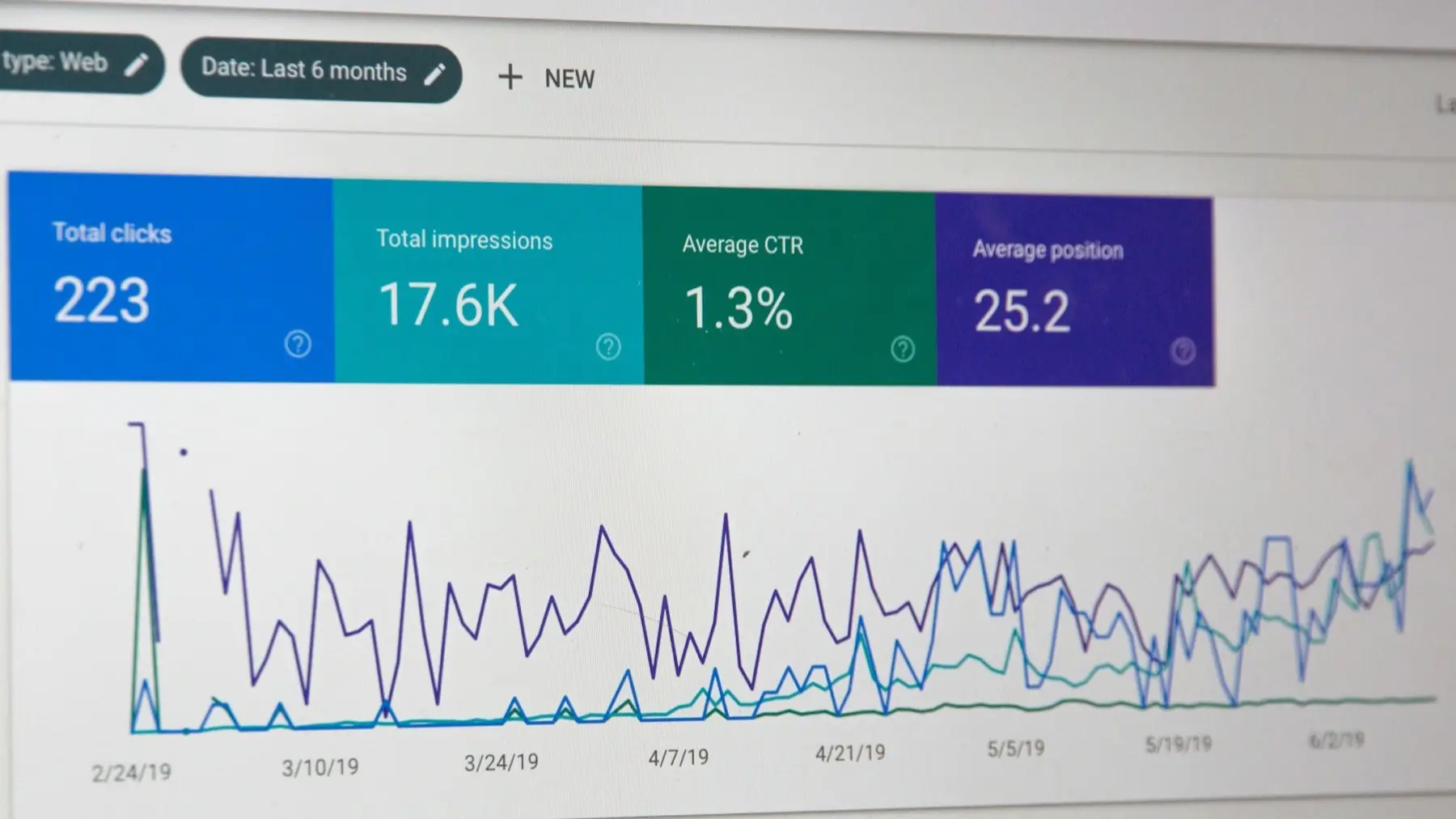
The best free tool for this is Google Search Console — Google’s own dashboard showing how your website appears in search. In the Performance report you can compare two date ranges and see:
- Clicks — how many people visited from Google.
- Impressions — how often your pages appeared in results.
- Average position — roughly where you appeared.
- Which pages and which searches went up or down.
If you don’t have Search Console set up, now’s a good time to do it. It’s free and it’s the first place to look whenever something changes.
3. Don’t overreact to a small drop
If you’ve slipped a couple of places for a few searches, Google’s advice is not to make drastic changes — and especially not to rewrite pages that are already doing well. Small movements are normal, and rankings change all the time.
4. For a big, lasting drop, look honestly at your pages
If you’ve lost a lot of visitors and it hasn’t recovered, look at the pages that dropped most and ask whether they’re genuinely the best answer for the person searching. Google publishes a list of self-assessment questions about helpful content. Here are the ones we find most useful for small businesses:
- Does the page offer something original — your own experience, prices, photos, examples — or does it just repeat what everyone else says?
- Would someone trust it? Is it clear who you are, where you’re based and what qualifies you?
- Is it written for people or for Google? If a page exists mainly to squeeze in a keyword, it’s probably not helping.
- Would a visitor leave satisfied, having found what they came for?
- Is it accurate and up to date? Old prices, closed offers and broken links all chip away at trust.
It also helps to ask someone outside the business — a friend, a regular customer — to look at the page honestly. And search for the same thing yourself: look at the pages Google is now showing and ask what they do better.
What not to do
There’s a lot of nervous advice online after every update. These are the things that usually make matters worse:
- Don’t chase “quick fixes”. Google is clear that it’s looking for lasting improvements that help visitors, not tricks. Anyone promising to “recover your rankings in a week” can’t know that.
- Don’t delete large chunks of your website. Google says removing content should be a last resort. Improving a weak page is usually better than deleting it.
- Don’t churn out lots of AI-written pages. Using AI to help you write isn’t against Google’s rules, but large amounts of text produced with no human checking or real knowledge behind it show little effort, and mass-producing pages mainly to rank goes against Google’s spam policies. We’ve covered this in more detail in using AI to write your website content.
- Don’t just change the date on old posts. Updating the date without updating the content is one of the warning signs Google specifically mentions.
- Don’t buy links or “SEO packages” from strangers. Cheap link schemes are exactly what spam updates are designed to catch. Our 8 SEO no-nos covers more of these traps.
How long does recovery take?
Honestly? It can take a while. Google says some improvements can show up within days, but its systems may need several months to be confident that a site’s content is consistently helpful. Sometimes the benefit only appears with the next core update — and with three in 2026 so far, there tend to be a few months between them.
Google is also upfront that making changes is no guarantee your rankings will come back. Other websites may simply have become better answers. That isn’t a reason to give up, though: the improvements that help with Google — clearer pages, real detail, honest prices, good photos, an easy way to get in touch — are the same ones that turn visitors into customers.
How to “update-proof” a small business website
No website is immune to change, but some are far more stable than others. The ones that ride out update after update tend to have the same things in common:
- Pages about what you actually do. A clear page for each main service, saying what it is, who it’s for, what it costs (or roughly) and where you work.
- Proof that you’re real. Your name, your story, your area, genuine reviews and photos of your own work.
- Answers to real customer questions. The questions you get asked on the phone every week make brilliant website content, because nobody else can answer them quite like you.
- A fast, mobile-friendly site. Google rewards a good overall page experience. We explain how we build for speed in our Lighthouse guarantee.
- Regular care. Fixing broken links, updating prices and checking Search Console every month or two catches small problems before they become big ones. That’s what our Maintenance Plan is for.
If you want to start from the basics, our guide to SEO for small businesses in Surrey is a good place to begin.
Quick answers
Has Google penalised my website? Almost certainly not. A core update isn’t a penalty; it’s Google re-ranking everyone. A genuine penalty (a “manual action”) is rare, and if you had one, Google would tell you in Search Console under Manual actions.
When will the November 2026 update finish? Google said it could take up to two weeks from 10 November. Check the Search Status Dashboard for the confirmed finish date.
My rankings went up — do I need to do anything? No — enjoy it! But keep improving your pages, because the next update could shuffle things again.
Should I hire an SEO company straight away? Not in a panic. Wait for the update to finish, look at the data, and then decide. If you’d like a second opinion, our SEO plans start with an SEO Starter overhaul at £275.50, including a report and plan, or there’s SEO Advanced at £164.50 a month over six months for ongoing improvements.
Does this affect Google Maps? Core updates are about Google’s main search results. If most of your customers find you on Google Maps, keep your Google Business Profile up to date too — accurate hours, photos and replies to reviews all help.
The bottom line
A Google core update can feel unsettling, especially if your phone goes quiet for a week. But it’s a normal part of having a website, it isn’t aimed at you, and the right response is almost always the calm one: wait, check your data, and make your pages more useful to the people you want as customers.
Not sure how your website is doing? Our free website audit checks its health, speed, security and Google setup and emails you a clear report. Or get in touch for a friendly chat about your SEO.