Imagine a customer who wants to book with you, but can’t — because your website won’t let them. The button they need can’t be reached with a keyboard, the text is too faint to read, or the form doesn’t make sense to the screen reader reading it aloud to them. They don’t complain. They just go to a competitor whose website works.
That’s what web accessibility is about: making sure everyone can use your website, including people with disabilities. It’s one of the most talked-about topics in web design this year, partly because of new rules in Europe, and partly because study after study shows how many websites still get the basics wrong. Here’s what it means in plain English, why it matters to a small business, and what you can do about it.
Short version: an accessible website is one that works for people who can’t see well, can’t use a mouse, or find busy pages hard to follow. Most fixes are simple, and they make your site better for every visitor, not just some.
What “accessible” actually means
Accessibility isn’t only about people who are blind. It covers anyone who uses the web a little differently, for example:
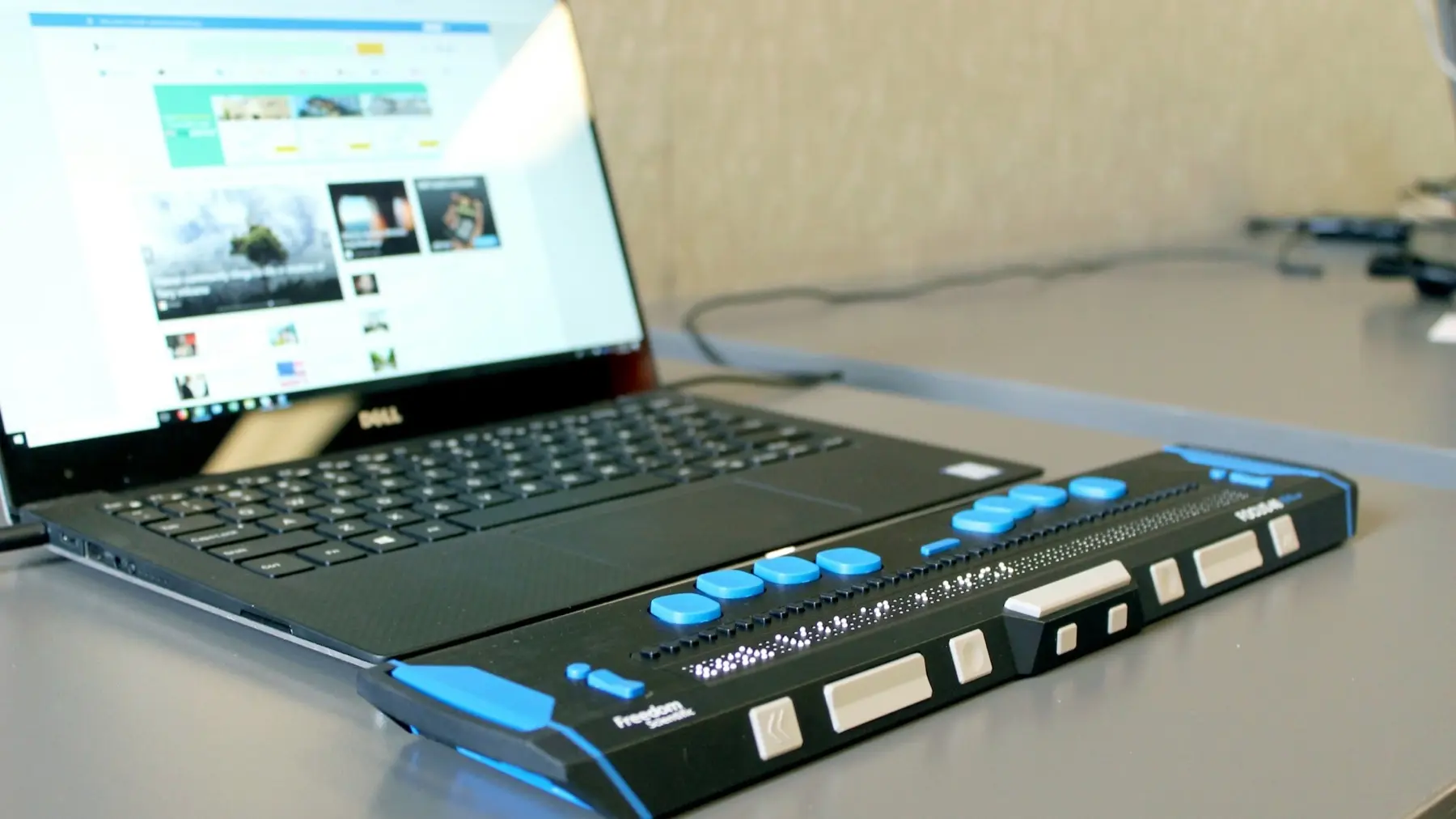
- People with sight loss who use a screen reader (software that reads the page aloud) or a braille display like the one in the photo above, which turns text into raised dots.
- People with low vision or colour blindness who zoom right in or need stronger contrast between text and background.
- People who can’t use a mouse, perhaps because of arthritis, a tremor or an injury, and get around with a keyboard or voice control instead.
- People who are deaf or hard of hearing, who need captions on videos.
- People with dyslexia, ADHD, autism or memory difficulties, who benefit from clear wording, simple layouts and nothing flashing or moving unexpectedly.
It’s also about all of us, some of the time: reading your phone in bright sunshine, holding a coffee in one hand, or squinting without your glasses. A site that works well for disabled people almost always works better for everyone else too.
Why it matters for your business
It’s a lot of potential customers
According to the government’s Family Resources Survey, nearly one in four people in the UK are disabled, and many more have a parent, partner or child who is. If your website shuts some of them out, those are sales and enquiries quietly going elsewhere.
Most websites still get it wrong
Every year, the accessibility organisation WebAIM tests the home pages of the top one million websites. Its 2026 report found detectable accessibility problems on 95.9% of them. The most common issues were the same as in previous years: text with too little contrast against its background, and images with no text description. Which means that getting the basics right is a genuinely easy way to stand out.
Google likes the same things
Many accessibility fixes overlap with good SEO. Descriptive page titles, headings in a sensible order, text descriptions on images and links that say where they go all help search engines understand your pages, as well as people. (More on that in why your business needs SEO.)
The law expects it
This is the part that has put accessibility in the news, so here’s a plain-English summary. It’s a general overview rather than legal advice.
- In the UK, the Equality Act 2010 says businesses that provide goods or services to the public must make “reasonable adjustments” so disabled people aren’t put at a disadvantage. That’s generally understood to include websites. The Act doesn’t name a technical standard, but the Web Content Accessibility Guidelines (WCAG) 2.2, level AA is the widely used benchmark for what “accessible” looks like.
- The European Accessibility Act has applied since 28 June 2025. It covers certain products and services sold to people in the EU, including online shops, and it can apply to UK businesses that sell to EU customers. Very small businesses that only provide services (fewer than 10 staff, and turnover or balance sheet of no more than €2 million) are exempt from its service requirements. If you sell online into Europe, it’s worth checking where you stand.
For most small businesses in Surrey, the practical takeaway is simple: aim for WCAG 2.2 AA, and you’re doing the right thing by your customers and the law.
What is WCAG?
WCAG (usually said “wuh-cag”) stands for the Web Content Accessibility Guidelines, published by the W3C, the body that looks after web standards. The current version, 2.2, came out in October 2023. It’s a long, technical document, but it boils down to four ideas. A website should be:
- Perceivable — people can take in the content, whether they see it, hear it or feel it (for example, images have text descriptions and videos have captions).
- Operable — people can use it, whether with a mouse, a keyboard, a touch screen or their voice.
- Understandable — the wording is clear, forms explain what they need, and things behave in predictable ways.
- Robust — it’s built properly, so it works with screen readers and other assistive technology, now and in future.
The guidelines have three levels: A (the minimum), AA (the usual target) and AAA (the highest, often not achievable for every page). When people say a site is “accessible”, they normally mean it meets level AA.
Seven quick checks you can do yourself
You don’t need special software to spot the most common problems. Try these on your own website:
- Put the mouse away. Press the Tab key to move through your page. Can you reach every link, button and form field? Can you always see where you are? If the highlight disappears or you get stuck, keyboard users will too.
- Check your contrast. Is any text pale grey on white, or white on a light photo? If you have to squint, it’s too faint. Free tools such as WebAIM’s contrast checker will tell you for sure.
- Zoom in to 200%. In your browser, zoom right in. Does the text get bigger and stay readable, or does it overlap, get cut off or need sideways scrolling?
- Look at your images. Every meaningful image should have a short text description (called alt text) saying what it shows. Purely decorative images should be marked as decorative so screen readers skip them.
- Read your links out of context. Screen-reader users often jump from link to link. “Click here” and “Read more” on their own tell them nothing; “See our website packages” tells them exactly where they’re going.
- Try your forms. Does every box have a visible label (not just grey placeholder text that disappears when you type)? If you make a mistake, does the form tell you clearly what went wrong?
- Watch for movement. Do sliders, videos or animations start on their own? Can they be paused? Some people find movement distracting or even physically unsettling.
If you also want a quick score, Google’s free PageSpeed Insights includes an automated accessibility test. It’s a useful start, but bear in mind that automated tests only catch some problems. A page can score well and still be hard to use with a keyboard or a screen reader, so the manual checks above still matter.
How we build accessibility in
Accessibility is far easier (and cheaper) to build in from the start than to bolt on later. On the websites we build, it’s part of the job, not an extra:
- Proper structure. One main heading per page, sub-headings in order and real buttons and links, so screen readers can make sense of the page and people can skip around it.
- A “Skip to content” link, so keyboard users don’t have to tab through the whole menu on every page.
- Clear focus outlines, so you can always see where you are when using a keyboard.
- Readable colours, with text and backgrounds chosen for strong contrast.
- Image descriptions, with a clear “Image description” box in the editor whenever you add a photo to a blog post.
- Labelled forms and menus that say what they do, including to screen readers.
- Respect for “reduce motion”. Many people switch on a setting on their phone or computer to cut down on animation. Our animations switch themselves off for anyone who has.
And then we test, with a keyboard, with zoom and with automated checks, before a site goes live.
Quick answers
Is my small business legally required to have an accessible website? If you provide goods or services to the public in the UK, the Equality Act 2010 expects you to make reasonable adjustments for disabled people, which is generally taken to include your website. There isn’t a certificate to hang on the wall, but aiming for WCAG 2.2 AA is the sensible, widely accepted approach. If you have specific legal concerns, speak to a legal adviser.
Can’t I just install an accessibility plugin or overlay? Those widgets that add a little accessibility icon to the corner of a site can’t fix problems in the site itself, like missing labels or a menu that doesn’t work with a keyboard. Many disabled users find them unhelpful. It’s far better to fix the underlying issues.
Does making my website accessible mean making it look plain? Not at all. Accessible websites can be just as bold, modern and beautiful as any other. It’s about how a site is built and the choices behind it, not about stripping out design.
My website is a few years old. Is it worth fixing? Often, yes: many problems, such as contrast, image descriptions and link wording, are quick wins. If the site has deeper issues, it may be time for a refresh; we’ve written about when to refresh your website.
The bottom line
An accessible website isn’t a box-ticking exercise. It’s a website that more people can use, that Google understands better, and that treats every customer with the same respect. Most of the fixes are small, and every one of them makes your site a little better for everybody.
Want to know how your website measures up? Start with a free website audit, or get in touch for a friendly chat about making your site work for every visitor.